For B2B furniture manufacturers and brands: create, save, and manage product variants in one place—then visualize every option in real time.
Build and save product variants (color/finish/options) quickly—without spreadsheet chaos
Keep a single “source of truth” across product, sales, and design teams
Show every configuration in real time for faster approvals and fewer revisions
Designed for B2B furniture manufacturers and brands with complex catalogs
Make quoting, specification, and decision-making easier with Witmodel
Intro: In B2B furniture, variants aren’t a nice-to-have—they are the product
If you’re a furniture manufacturer or brand selling B2B (dealers, project sales, hospitality, office fit-outs), your catalog is defined by options: fabrics, leathers, woods, lacquers, metals, legs, bases, handles, modules, and sizes.
The challenge isn’t only having those options—it’s being able to create and record variants easily, keep them consistent, and present them clearly to buyers and specifiers.
That’s where Witmodel and Smart Product Configuration come in.
1) Create and save variants easily (no more “where did we record this?”)
In many furniture organizations, variant data ends up scattered:
product team has one list
sales has another
design has “the latest” render folder
operations has a separate BOM/ERP view
Smart Product Configuration focuses on a simple outcome: creating a variant should be quick, and saving it should be automatic and reliable.
With a centralized system, you can:
Define your option sets (colors, finishes, components) once
Create new configurations without duplicating work
Save and reuse configurations across collections and projects
Keep everything organized as the catalog expands season after season
2) Variant management in one place: a true B2B “source of truth”
B2B furniture sales depends on accuracy. One wrong finish code or one misunderstood option can lead to:
incorrect quotes
delayed approvals
costly remakes and returns
brand trust issues with dealers and partners
Managing variants in one place helps you:
Standardize naming and option logic across teams
Reduce internal back-and-forth (“is this option available for that frame?”)
Keep dealer/project documentation aligned with what can actually be produced
3) Every option visualized in real time (so specifiers can decide faster)
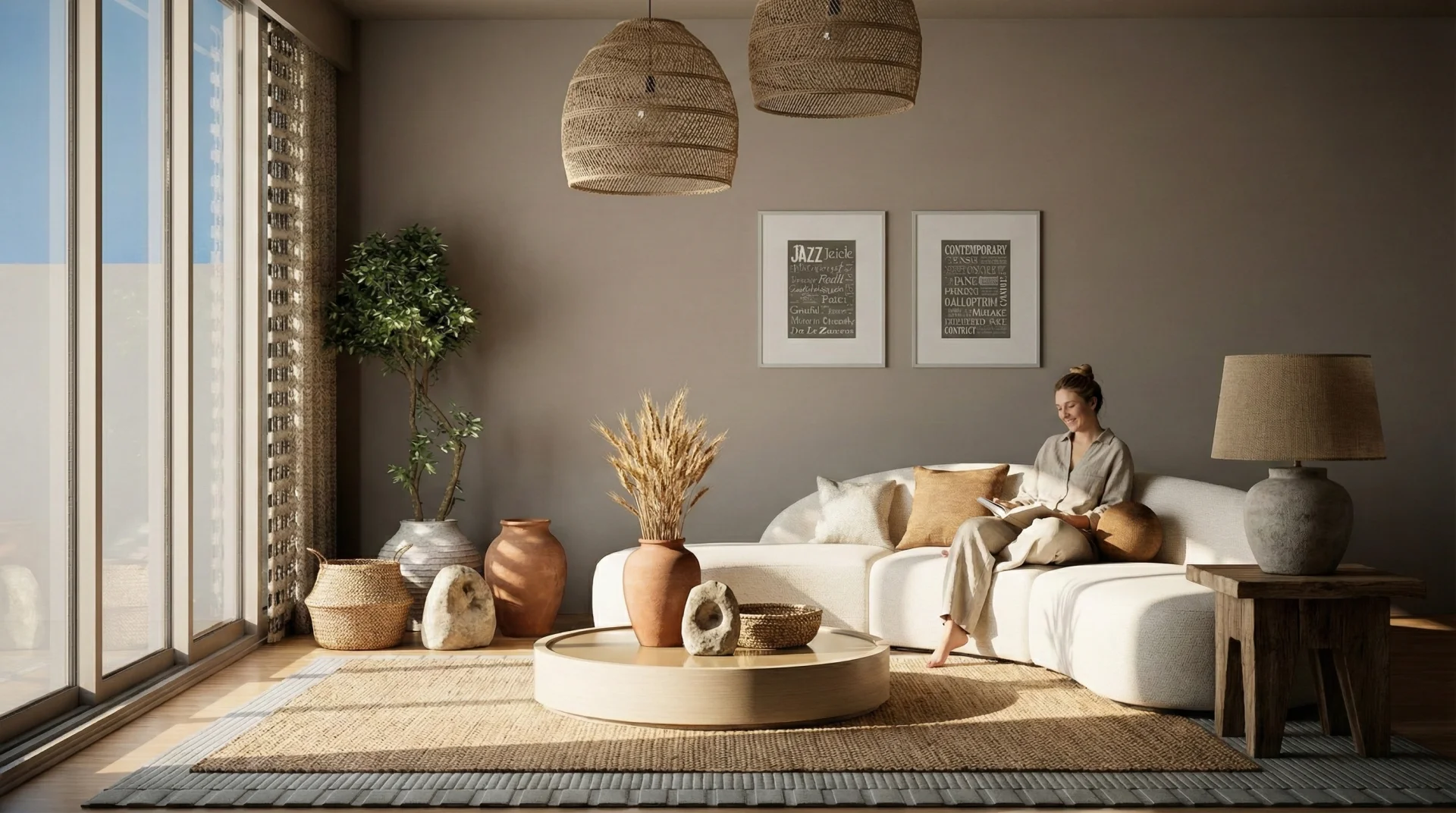
B2B buyers and specifiers don’t want to imagine the outcome—they want to see it.
Real-time visualization helps furniture brands and manufacturers:
show color and finish changes instantly
preview materials and textures more clearly
display add-ons and components (legs, arms, bases, modules) as selected
speed up approvals for project stakeholders (architects, procurement, end client)
The result is fewer “can you send another render?” loops—and more confident decisions.
4) Reduce complexity as you scale collections, markets, and partners
As you expand across product lines, countries, and dealer networks, complexity multiplies:
different markets prefer different finishes
some options are premium, others standard
certain combinations must be prevented
collections share parts, but not all options
Smart Product Configuration lets you scale without turning your team into a manual variant factory—by keeping variant creation, saving, and management structured from day one.
Key takeaways
For B2B furniture brands, variant accuracy directly impacts speed and margin
Witmodel makes it easy to create and record product variants in one place
Real-time visualization reduces revisions and accelerates approvals
A centralized variant system scales with your catalog, partners, and markets
If you’re a B2B furniture manufacturer or brand and want to make variant creation and saving effortless—while showing every option in real time—Witmodel helps you deliver a Smart Product Configuration experience that scales with your business.
Links
(TODO: add witmodel.com link for Smart Product Configuration / product configuration)
(TODO: add witmodel.com link for furniture brands / manufacturers use case)
https://witmodel.com/blog/meet-witmodel-a-real-time-3d-room-planner-for-architects-and-designers
Try it free: witmodel.com design a room and render it in 4K, no credit card required.
Follow Witmodel:
- Instagram → instagram.com/witmodel
- LinkedIn → linkedin.com/company/witmodel
- YouTube → youtube.com/@witmodelAI
- Pinterest → pinterest.com/witmodels
We're just getting started and we'd genuinely like to hear what you're working on. What's the part of your visualization workflow you'd most want to make instant?